

Plan your day, not just your next trip
Riders can now book a pickup at least one hour ahead of time. That means you can see and claim rides that are coming up later, a simple change that gives you something valuable: the ability to plan your day.
More certainty, less guesswork
Line up work ahead of time and take control of your schedule.
Fill quiet gaps
Slot upcoming rides into the slow parts of your day instead of waiting and hoping.
Plan around you
Line up work in advance and build your driving day around your own schedule.
Know what's coming
See what's ahead rather than guessing, for more certainty about your earnings and time.
Step by step
From a scheduled request to heading off, here's the full flow.
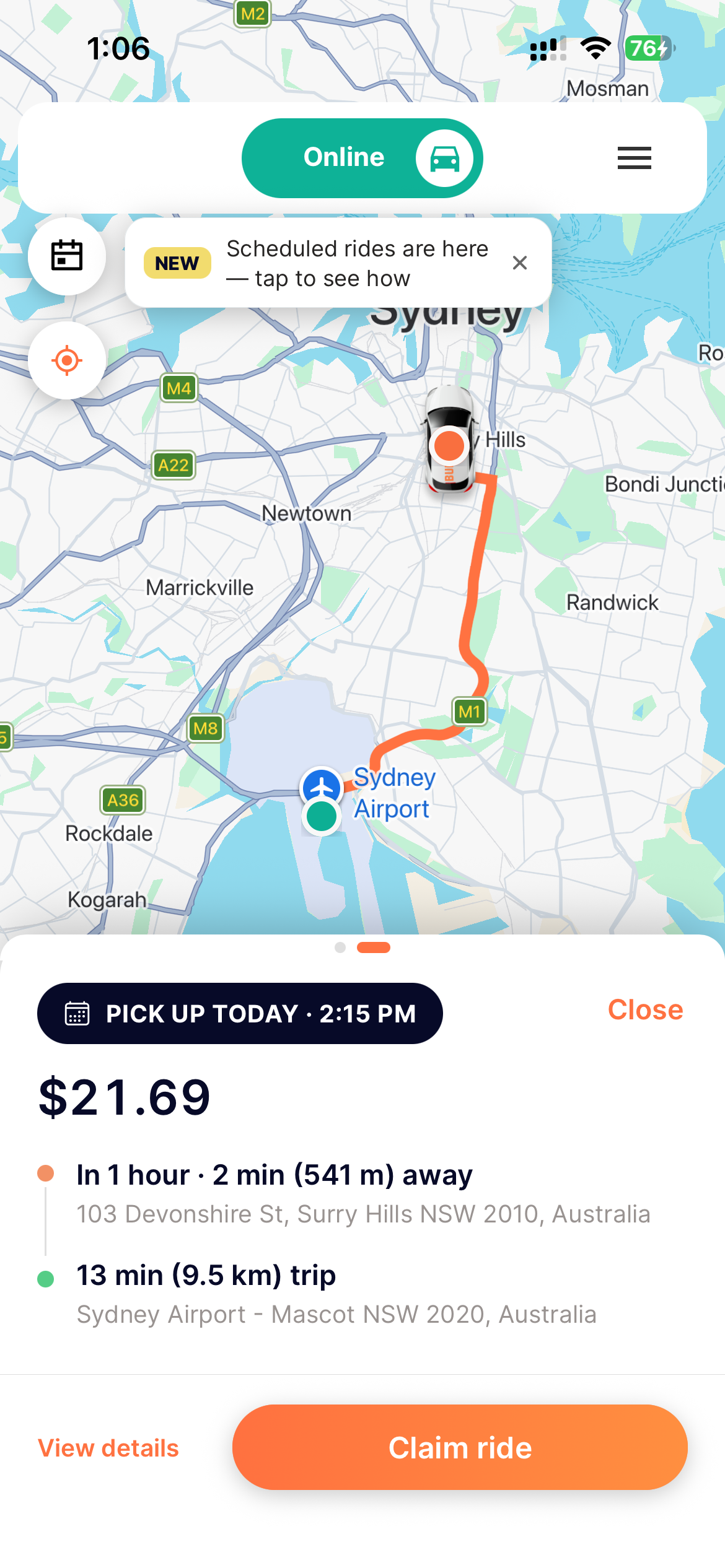
A scheduled ride appears, with everything up front
While you're online, upcoming rides show up on your map alongside live trips, and a banner gives you a heads-up. Tap one and you see the full picture before committing:
- When: the scheduled pickup time. Here, today at 2:15 PM, about an hour away.
- How far to the pickup: just 541 m (~2 min) away, at 103 Devonshire St, Surry Hills.
- The trip: a 13 min, 9.5 km run to Sydney Airport, Mascot.
- The fare: $21.69.
If it suits you, tap Claim ride, or View details for more.
Once you claim it, the ride is yours
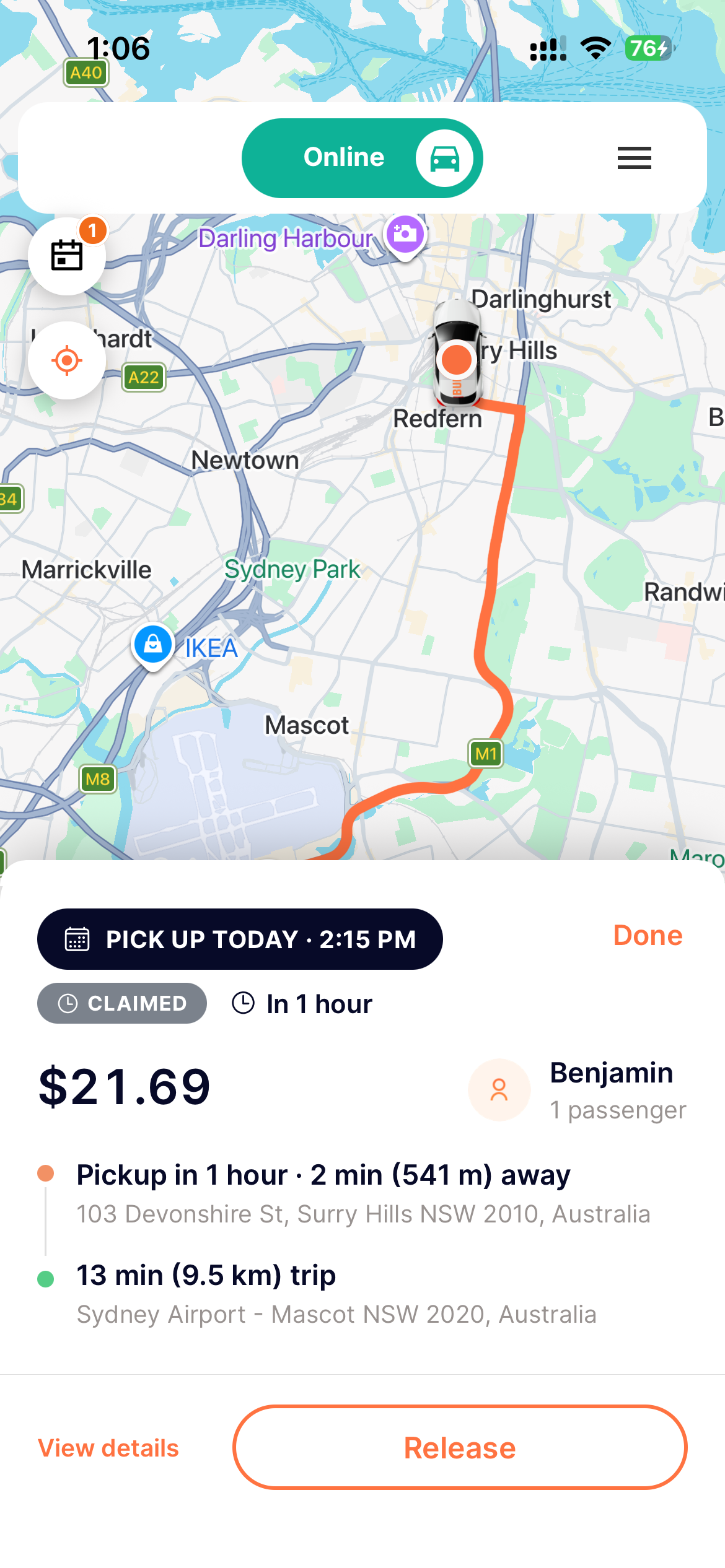
Claiming means you're committing to that pickup at the scheduled time. The card updates so you always know where things stand:
- A CLAIMED badge and a live “In 1 hour” countdown to the pickup.
- Who you're picking up: here, Benjamin, 1 passenger.
- The pickup and trip details stay in view: 541 m to the pickup and a 13 min, 9.5 km trip for $21.69.
Plans change? Tap Release and the ride goes back out for another driver to take.
A quick check before your pickup
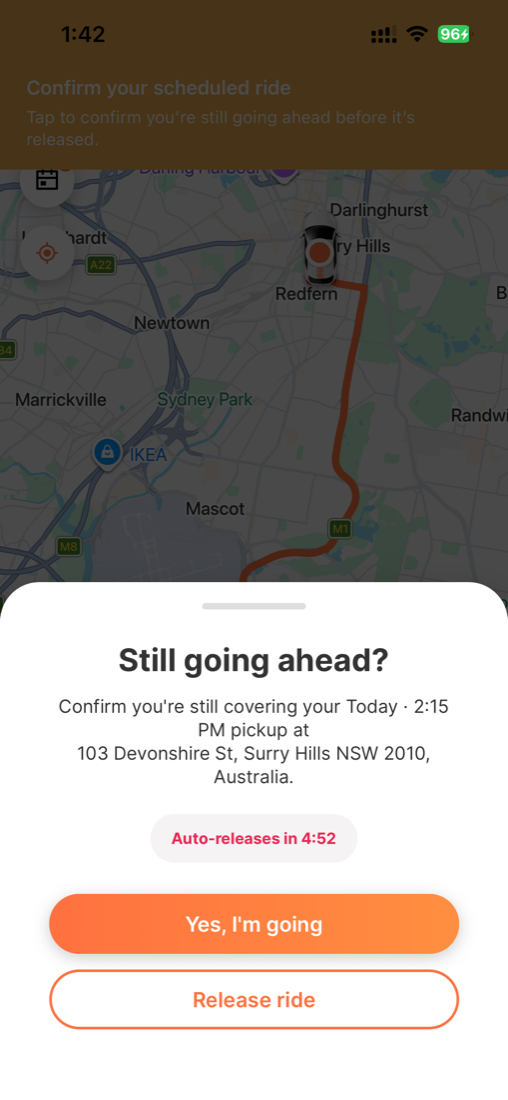
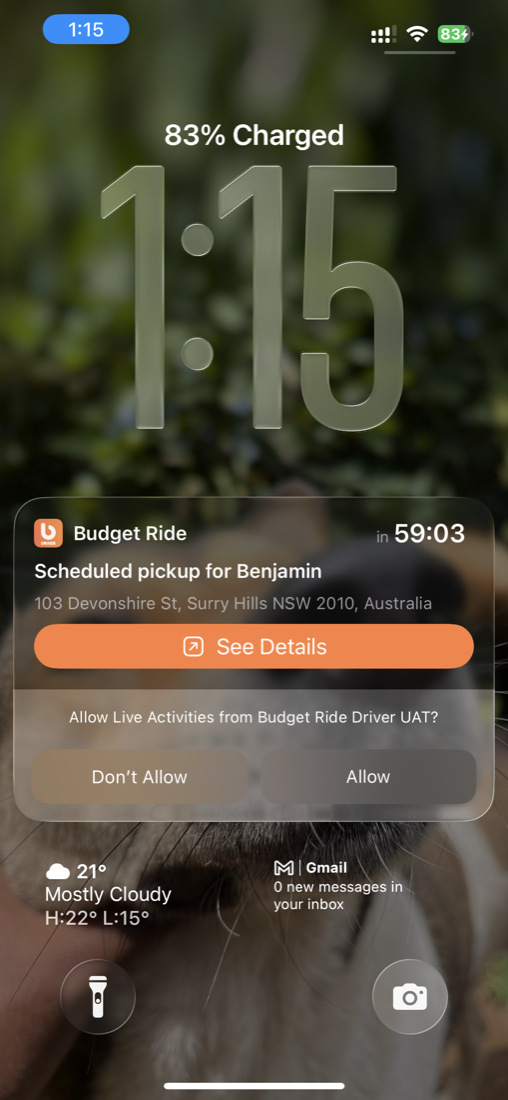
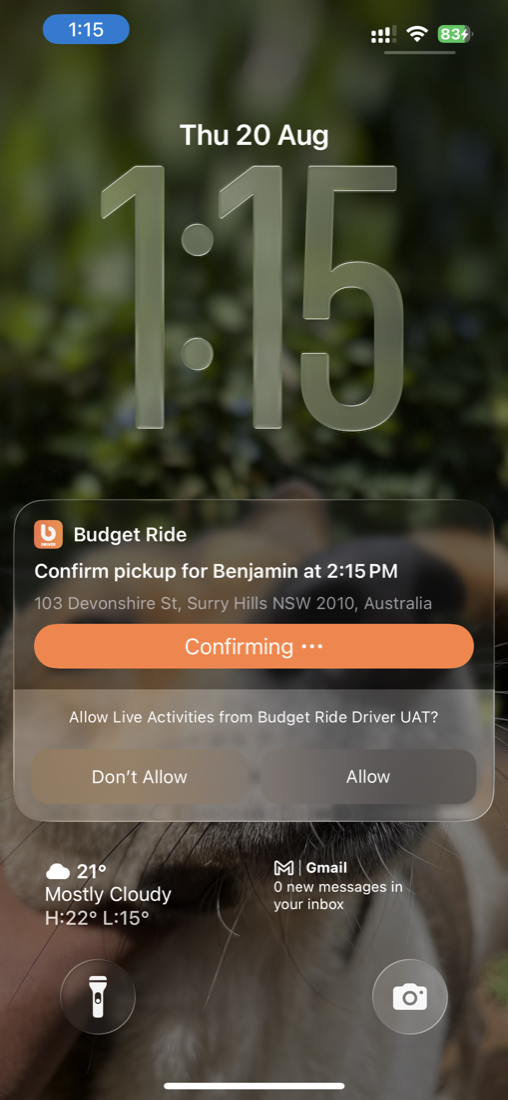
About an hour before your pickup, we send a notification asking you to confirm you're still covering the ride. Tap Yes, I'm going to lock it in, or Release ride to hand it back. You'll have about 5 minutes to respond. If you don't, the ride auto-releases so another driver can take it, so keep an eye out. You can respond right in the app or straight from your lock screen.
You're all set for the pickup
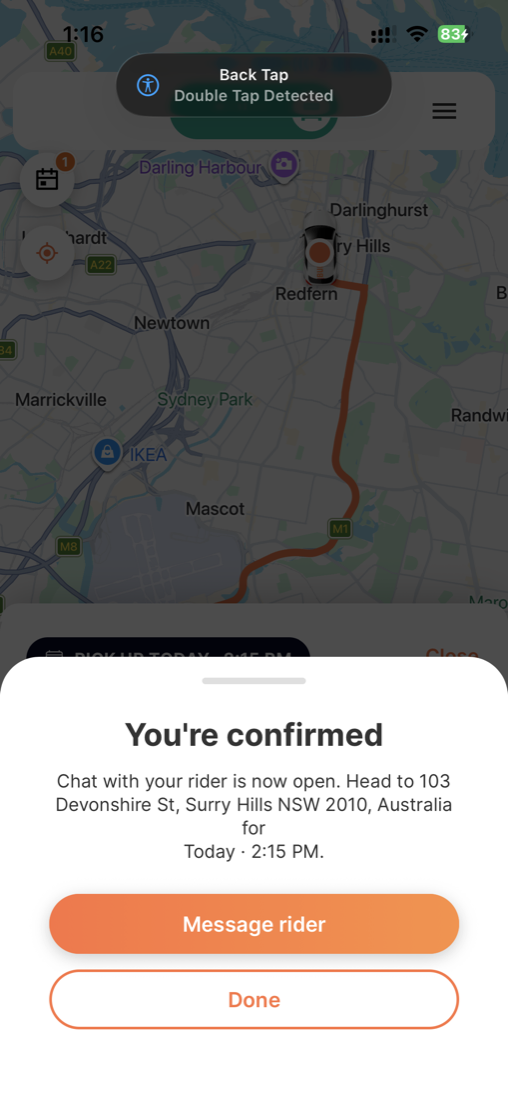
Once you re-confirm, a “You're confirmed” screen locks the ride in and lets you know chat with your rider is now open. It points you to where you're headed: 103 Devonshire St, Surry Hills, for today's 2:15 PM pickup.
Tap Message rider to reach them, or Done to carry on.
Check any details before you set off
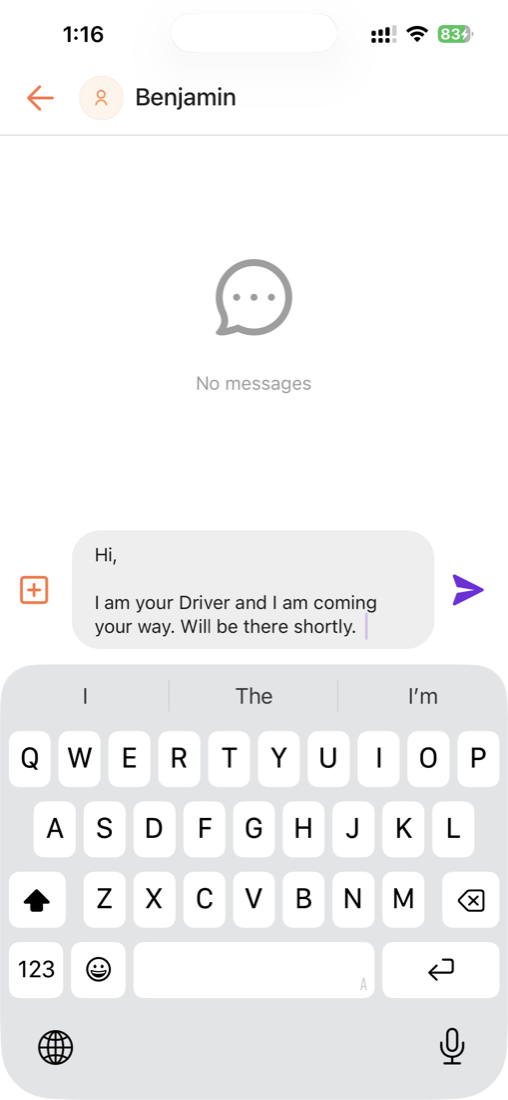
Need to check something about the pickup? Message the rider directly in the app. Just type your message and send.
Heads-up: the chat only opens once you're confirmed, not a minute before. That keeps rider and driver details private until the ride is locked in.
When it's time, head off as normal
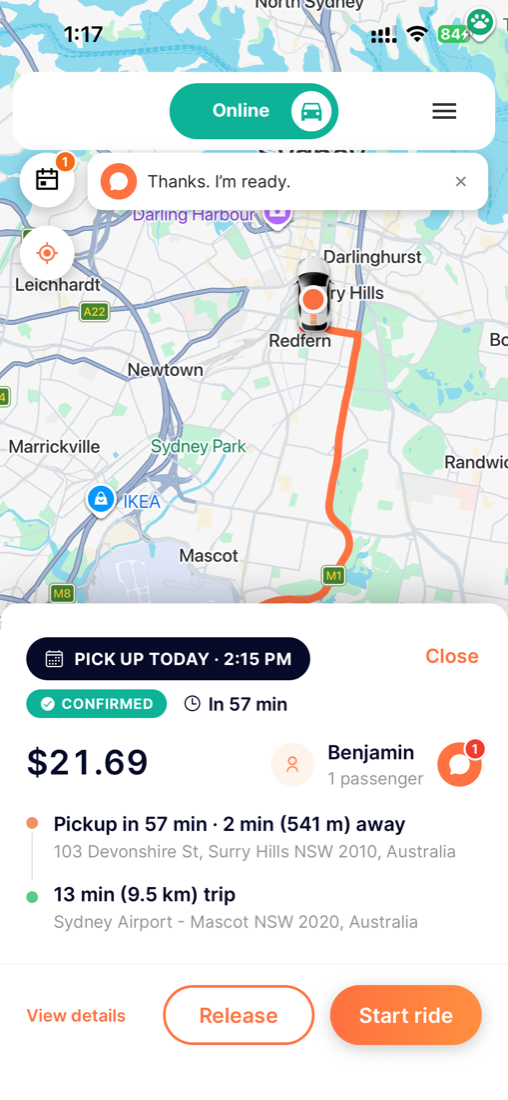
With the pickup confirmed and counting down (here, in 57 min), the ride sits ready with a Start ride button. Tap it when you're heading over, and everything continues just like any other Budget Ride trip.
If your rider messages back, their reply appears in a banner at the top and the chat icon shows a badge. Tap it to read the full message.
One thing to note for this first version: scheduling is based on the requested pickup time, not a drop-off time.
Key trip info stays visible
We've also upgraded your live trip experience. Budget Ride now keeps key trip information visible on your device while a ride is underway, so when you jump between Budget Ride and your navigation app like Waze, the important details stay right there at a glance.