

Book now, ride later
You can now schedule a Budget Ride pickup at least one hour in advance. Set it ahead of time, and we'll have a driver ready at the time you chose, whether that's later today or tomorrow.
Never leave your ride to the last minute
Plan ahead and know your pickup is sorted.
Plan ahead
Line up a ride for a flight, an appointment, or an early start, days or hours before you need it.
Locked in
Once it's booked, your pickup is set, so you're not scrambling to find a ride at the last minute.
Ready when you are
A driver is lined up for your chosen time, so your ride is there when you need to leave.
Step by step
Scheduling a ride takes just a few taps.
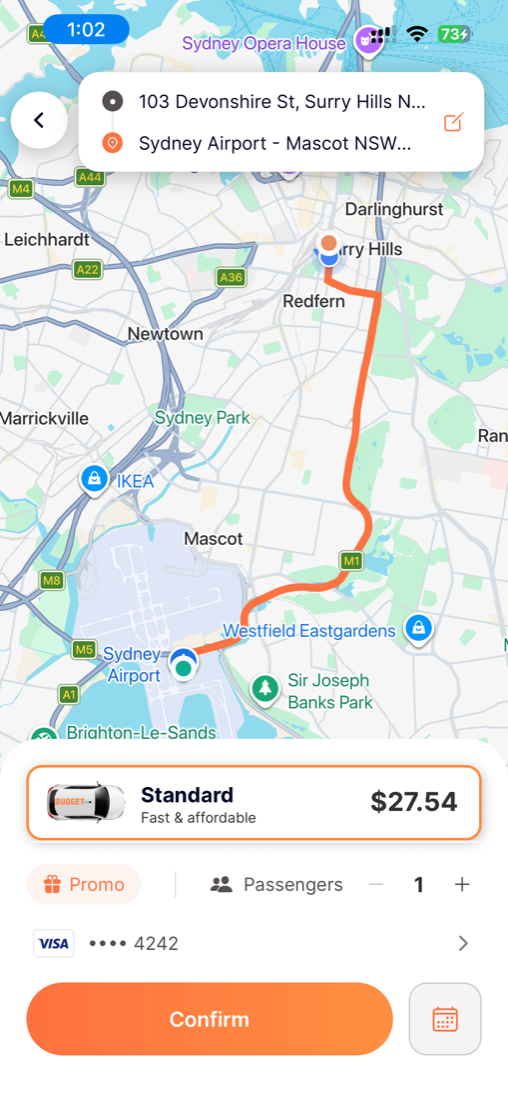
Choose your pickup and drop-off, then tap the calendar
Enter your pickup and destination just like a normal booking. Then, instead of confirming right away, tap the calendar icon in the bottom-right to schedule it for later.
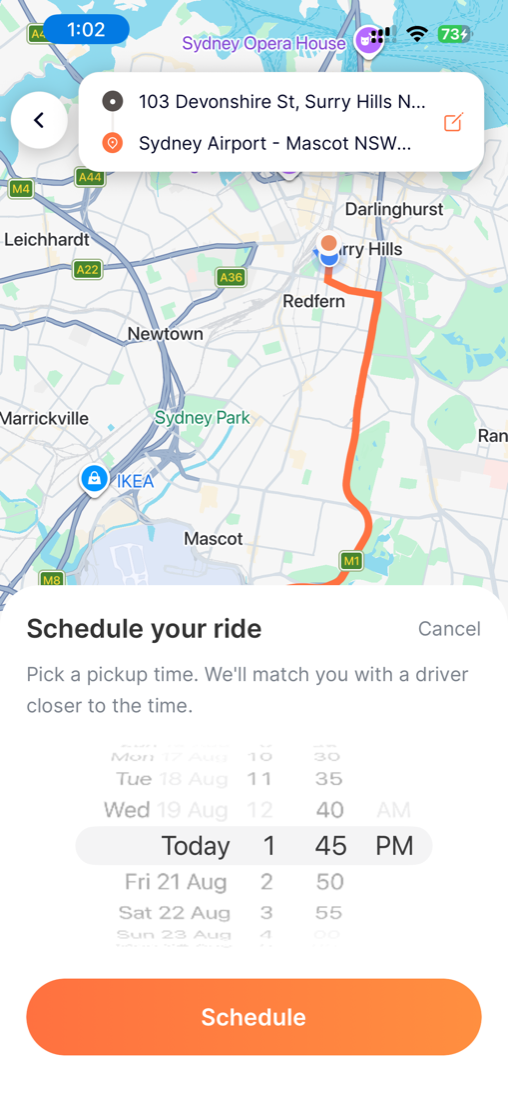
Choose your pickup time
The scheduler opens. Spin to the day and time you want, then tap Schedule. We'll match you with a driver closer to the time.
You can book anywhere from 1 hour ahead up to one month in advance. One hour is the minimum, so pickups can't be scheduled any sooner than that.
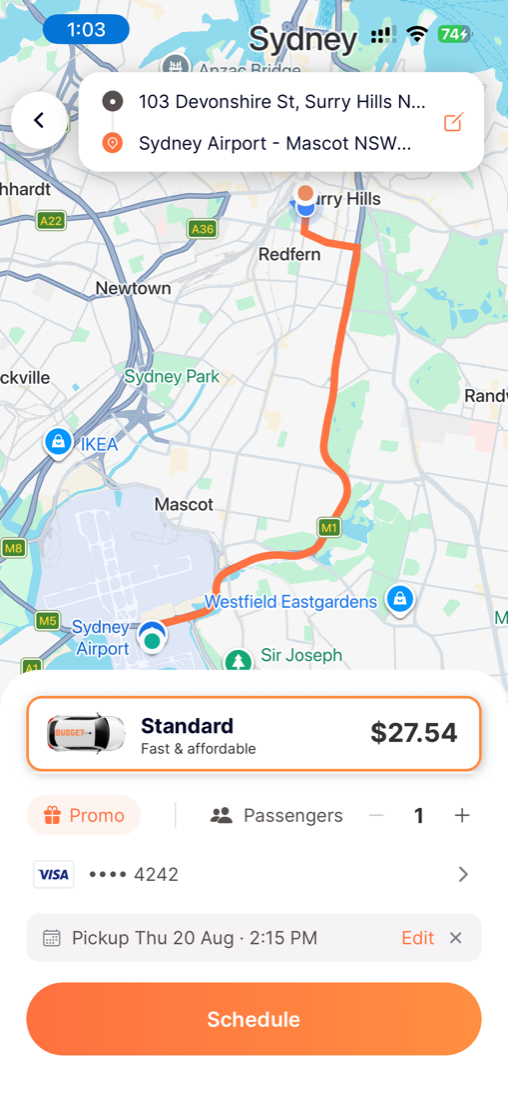
Review your ride and schedule it
Back on the booking screen, your chosen time now shows at the bottom, for example Pickup Thu 20 Aug at 2:15 PM. Check your fare, passenger count and payment, tap Edit if you want to change the time, then tap Schedule to lock it in.
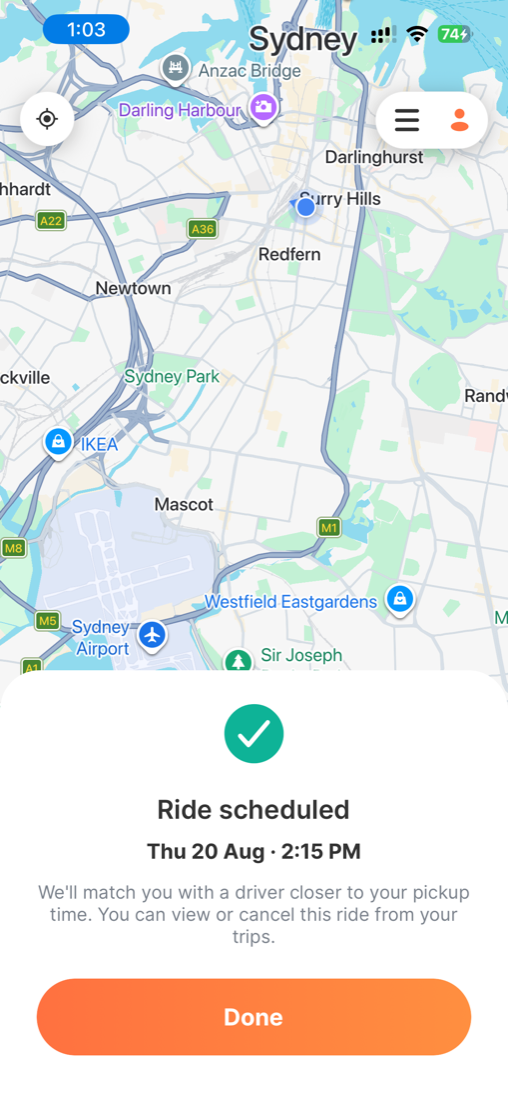
Ride scheduled
You'll see a confirmation with your pickup date and time. We'll match you with a driver closer to your pickup time, and you can view or cancel the ride anytime from your Trips. Tap Done and you're all set.
When a driver confirms, you'll know
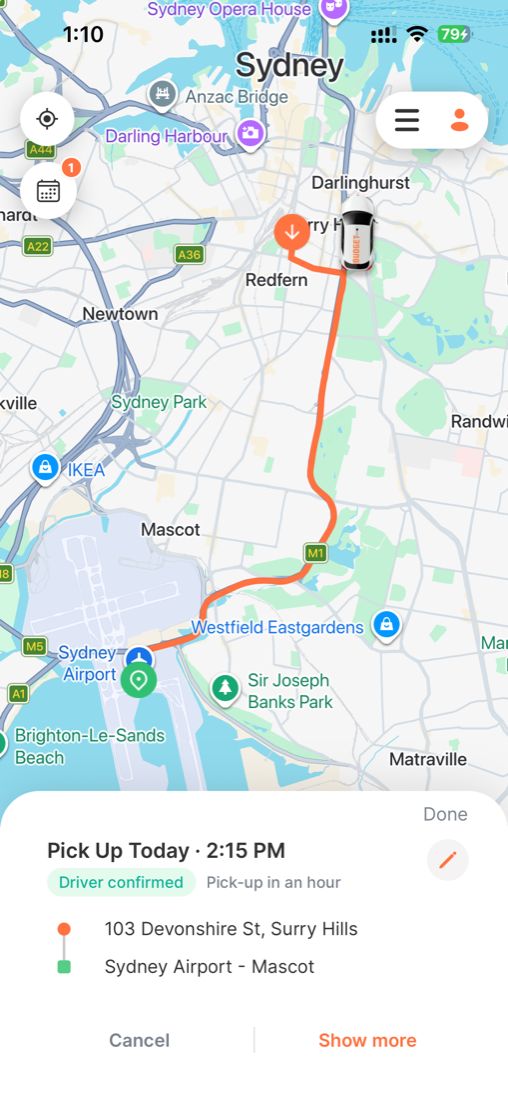
Closer to your pickup, a driver confirms your ride and you'll get a confirmation. Your trip now shows a green Driver confirmed badge and a Pick-up in an hour countdown, along with your pickup and drop-off. You can Cancel or tap Show more for details.
You can check your scheduled rides anytime from the calendar icon in the top-left, the badge shows how many you have booked.
Your driver checks in, and can message you
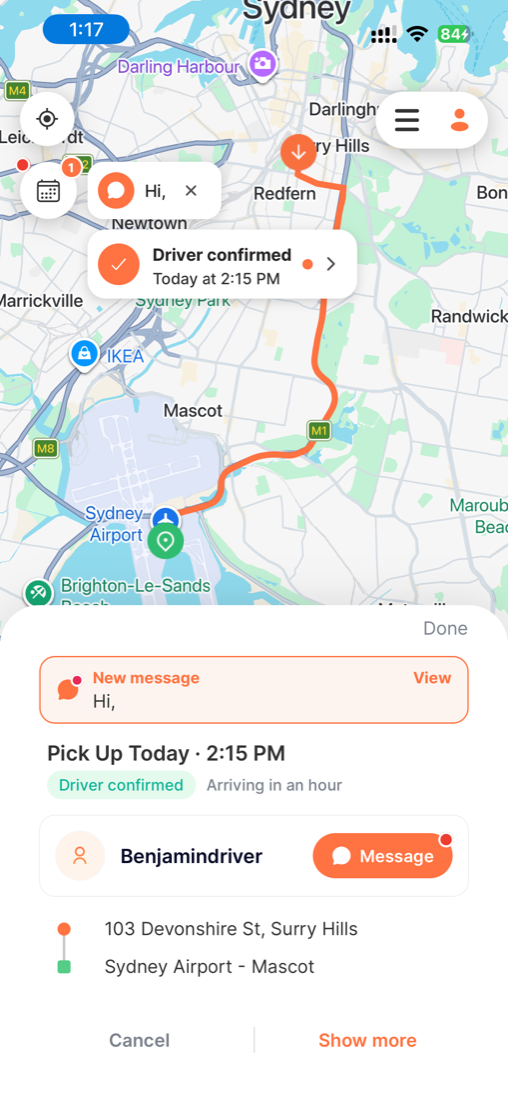
About an hour before your pickup, your driver is asked to re-confirm they're still coming your way. Once they do, they can message you. A New message alert appears, with a dot on your message icon, so just tap View to read it and reply.
If your first driver doesn't re-confirm, the ride is automatically passed to another driver, so you're always covered.
One thing to note for this first version: scheduling is based on your requested pickup time, not a drop-off time.